Image Format Guide: JPG vs PNG vs WebP
Choosing the right image format can significantly impact your website's performance, visual quality, and user experience. This guide breaks down the real differences between JPG, PNG, and WebP, and tells you exactly which one to reach for in each situation.
Understanding Image Formats
An image format is a standardized way of storing and compressing visual data, and each one makes different tradeoffs between file size, quality, compatibility, and feature support. Three formats dominate the web today: JPG (the workhorse for photographs), PNG (the standard for graphics that need transparency), and WebP (a newer format built to beat both at their own game). If you're curious what's actually happening inside these formats at the algorithm level, our piece on how image compression works behind the scenes covers that in depth.
JPG/JPEG: The Photography Standard
JPEG — Joint Photographic Experts Group — is a lossy compression format built specifically for photographic images, using compression algorithms tuned to how the human eye perceives detail. It supports 24-bit color (16.7 million colors), adjustable quality from 1–100%, and progressive loading that displays a low-quality preview which sharpens as the rest of the file arrives.
JPEG doesn't support transparency at all, and that limitation defines where it does and doesn't belong. It's the right choice for photographs, product images, hero backgrounds, and any complex, colorful image where a small amount of quality loss is genuinely invisible — 85–90% quality is the sweet spot for most web use, with 70–80% acceptable for less critical images and anything below 70% starting to show visible artifacts. What it handles badly is anything with sharp edges or text: fine lines and typography pick up visible blockiness and color banding under JPEG compression, and the format degrades a little more each time a file is re-saved, which is why it's a poor choice for graphics you'll edit repeatedly.
PNG: Lossless Quality and Transparency
PNG — Portable Network Graphics — was designed as a lossless replacement for GIF, meaning it can be perfectly reconstructed with zero quality loss, and it supports transparency through a genuine alpha channel rather than the crude on/off transparency older formats offered. PNG comes in a few flavors: PNG-8 for simple graphics with a limited palette (smallest file size), PNG-24 for full 16.7-million-color images without transparency, and PNG-32 when you need both full color and an alpha channel with 256 levels of transparency for smooth, anti-aliased edges.
This makes PNG the natural choice for logos, icons, screenshots with text, and any graphic that needs to sit cleanly over a variable background. The tradeoff is file size: PNG's lossless approach is inefficient for photographs, often producing files several times larger than an equivalent JPEG for the same photographic content, so it's worth reserving for graphics rather than using as a general-purpose format.
WebP: Modern Compression for Both Worlds
WebP is Google's answer to the JPEG-vs-PNG tradeoff — a format that supports both lossy and lossless compression, transparency, and even animation, while consistently producing smaller files than either older format. Lossy WebP typically runs 25–35% smaller than an equivalent-quality JPEG, and lossless WebP beats PNG at the same visual fidelity too, thanks to more advanced compression algorithms derived from Google's VP8 video codec.
Browser support has grown to roughly 95% globally, including recent versions of Safari, which makes WebP a safe default for most new projects rather than the risky bet it once was. The main caveat is tooling: not every image editor supports WebP natively yet, so some workflows need an extra conversion step, and for the small remaining slice of older browsers or email clients without support, you'll still want a fallback.
Format Comparison at a Glance
The size difference between formats is substantial and consistent across real images. A 1920×1080 photograph might run around 250KB as an 85%-quality JPEG, closer to 180KB as WebP at the same visual quality, and balloon to roughly 1.2MB as an uncompressed 24-bit PNG. A 500×500 logo with transparency tells a different story: PNG-32 comes in around 45KB, WebP with transparency around 35KB, and JPEG isn't a valid comparison at all since it can't preserve the transparency in the first place.
On quality, PNG is the only one of the three that's truly lossless — JPEG and WebP both introduce some compression artifact at typical web quality settings, though WebP's artifacts tend to be less noticeable than JPEG's at a comparable file size. On features, PNG and WebP both handle transparency; only WebP handles animation natively among the three. On raw compatibility, JPEG and PNG both enjoy universal, decades-old browser support, while WebP sits at roughly 95% — plenty for most sites, but still worth a fallback if your audience skews toward older devices or browsers.
Choosing the Right Format
A simple decision process covers almost every case. Start with the content: if it's a photograph or otherwise visually complex image, JPEG or WebP are your candidates; if it needs transparency or contains text and sharp edges, PNG or WebP are the right choices. From there, weigh file size against compatibility — if performance is the priority and you're comfortable with a WebP-first approach, use it; if you need guaranteed universal support without any fallback logic, JPEG or PNG alone are simpler to implement. Our guide on image compression covers the quality-versus-size tradeoff in more depth once you've settled on a format.
For most modern websites, the practical answer is to serve WebP to browsers that support it and fall back to JPEG or PNG for the rest, using the HTML <picture> element to let the browser pick automatically:
<picture>
  <source srcset="image.webp" type="image/webp">
  <source srcset="image.jpg" type="image/jpeg">
  <img src="image.jpg" alt="Description">
</picture>
This pattern gives every visitor the smallest file their browser can handle, without any JavaScript or server-side detection required. Many CDNs and CMS platforms (Cloudinary, WordPress image plugins, and similar tools) now automate this conversion entirely, generating WebP versions of every uploaded image and serving them automatically where supported.
Emerging Formats Worth Watching
AVIF, based on the AV1 video codec, compresses even better than WebP and is gaining browser support quickly, though it's not yet universal enough to rely on as a primary format. JPEG XL is aiming to be a true universal replacement — lossless, lossy, animation, and transparency all in one format — but adoption is still early and experimental. Neither is essential to implement today, but it's worth keeping an eye on both as browser support matures, since the <picture> element pattern above makes adding a new format later a matter of adding one more <source> line rather than reworking your image pipeline.
Performance Considerations Beyond Format
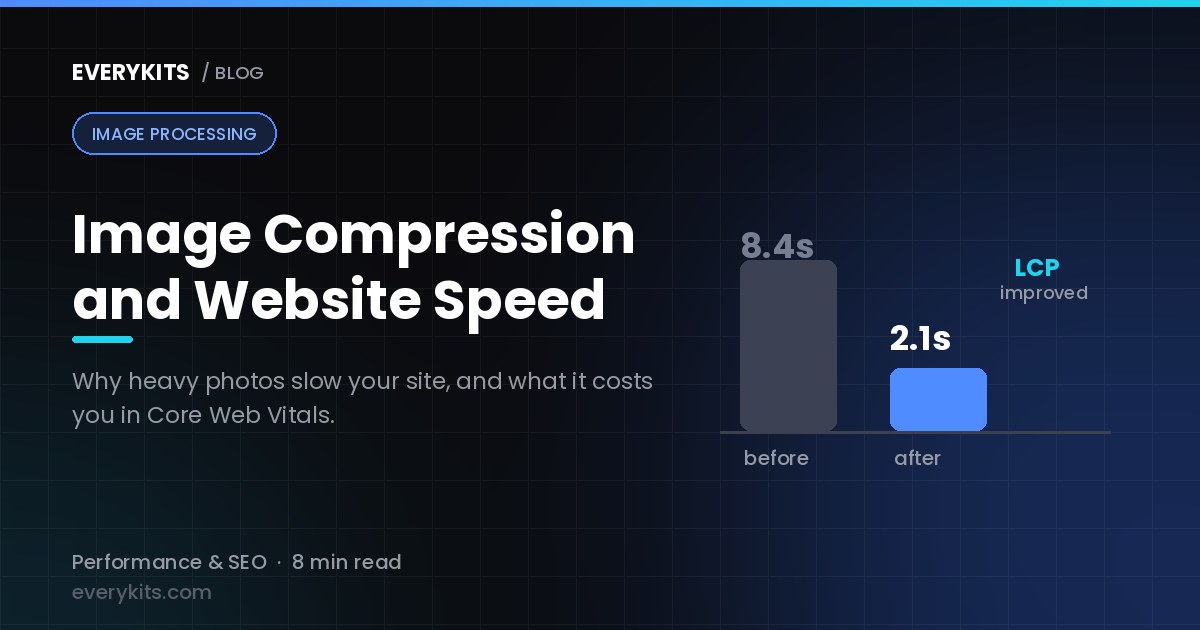
Format choice is one lever, but it works best alongside a few other practices. Lazy loading — using the native loading="lazy" HTML attribute — defers offscreen images until they're needed, which meaningfully speeds up initial page load on image-heavy pages. Responsive images, served through the srcset and sizes attributes, let the browser choose an appropriately sized file for the visitor's actual screen rather than always downloading a desktop-sized image on mobile. And proper caching headers mean returning visitors don't re-download images they've already fetched. Google's Core Web Vitals — particularly Largest Contentful Paint, which is often driven directly by your largest image — are a good way to check whether these choices are translating into real-world speed gains; tools like PageSpeed Insights or Lighthouse will show you exactly where images are costing you.
Tools for Testing and Optimizing
The EveryKits image compressor handles quick compression directly in the browser for any format, and Squoosh (Google's own tool) is useful specifically for comparing formats side-by-side before you commit to one. For measuring the real-world impact of your choices, Google PageSpeed Insights, Lighthouse, and WebPageTest all give you concrete before-and-after numbers rather than guesswork.
Conclusion
Each format earns its place for different reasons: JPG remains the standard for photographs thanks to excellent compression at acceptable quality, PNG is unmatched for lossless quality and transparency in graphics, and WebP offers the best all-around compression and feature set for modern browsers. The right choice comes down to your content type, how much quality loss is acceptable, and how much you need to support older browsers. For most sites today, a WebP-first approach with JPEG or PNG fallback via the <picture> element gives you the best of every format without leaving any visitor behind — start there, and revisit AVIF or JPEG XL once their browser support catches up.
Comments
Comments coming soon! In the meantime, feel free to share your thoughts on social media.