Best Free Online Tools for Bloggers in 2026
Every blogging task seems to demand different online tools for bloggers, and most of those tools want your credit card before they'll do anything useful. Grammar checkers, keyword research platforms, image optimizers, email service providers - stack up a few monthly subscriptions and you're spending $150 or more before you've published a single post. The good news is that the free options available in 2026 have genuinely closed the gap with paid software for most day-to-day publishing work. Knowing which free tool to use for each specific job is what separates bloggers who constantly tinker from bloggers who actually grow.
Before we get into the full breakdown, bookmark EveryKits. It's a no-login, browser-based platform that covers three tasks bloggers hit every single day: text analysis with keyword density, image compression, and QR code generation. No account required, no file uploads to a server, nothing stored. It's a rare utility platform that treats your content as private by default, and it comes up several times throughout this article because it earns a real spot in any free blogging stack. It also includes other quick utilities like an age calculator you can use without signing in.
Free Online Tools for Bloggers: Writing and Editing That Improve Every Draft
The writing layer of your toolstack sets the quality ceiling for everything else. A well-edited post with solid structure will outperform a keyword-optimized mess every time, so getting the right blog writing tools here matters more than most bloggers realize.
Grammar Checkers and Free AI Drafting Helpers
Grammarly's free plan in 2026 covers grammar, spelling, punctuation, basic tone detection, and 100 AI-assisted prompts per month. That's a solid set of features for cleanup and light editing. The features most bloggers actually want, including full-sentence rewrites, advanced tone controls, and brand consistency tools, sit behind the paid tier. For most solo bloggers publishing two to four posts per month, the free plan handles the polishing work fine.
ChatGPT's free plan works well as a first-draft partner for outlines, headline brainstorming, and rewording awkward sentences. Use it to get a structural skeleton down quickly, then write the actual content yourself. Google continues to reward original, experience-driven writing, and AI output that isn't substantially revised tends to read flat and rank poorly. The smartest workflow is to use AI for scaffolding, not for the finished product.
Word Counters and Text Analysis Beyond Basic Counting
Raw word count is just one signal. What actually affects how a post performs is keyword density (whether your target phrase appears too rarely or is stuffed in), sentence-level complexity that affects readability scores, and character counts that determine whether your meta description gets cut off in search results. A free word counter that only gives you a number is half the tool you need, and switching between three separate tabs to gather those metrics breaks your writing momentum at exactly the wrong moment.
The better option is a tool that shows word count, character count, sentence count, and keyword frequency in a single view. That's exactly what the EveryKits word counter does — our deeper guide on counting words effectively for SEO covers how to use those numbers strategically rather than chasing a target length, and it's where the next section picks up.
EveryKits: The Free Multi-Tool Bloggers Should Have Bookmarked
EveryKits is a browser-based utility platform that handles multiple daily blogging tasks without requiring an account, a download, or a subscription. All processing happens locally in your browser, which means your draft text and image files never leave your device. Bloggers who handle sensitive client content, or simply don't want their work sitting on someone else's server, will find that privacy-first default a meaningful differentiator.
Word Counter With Keyword Density and Character Analysis
Paste your blog post draft into the EveryKits word counter and you get the full picture at once: total word count, character count with and without spaces, sentence count, and keyword frequency. The practical application is straightforward. Check that a post hits a reasonable length for the topic, confirm your meta description stays under 160 characters, and verify that your target keyword appears at a natural frequency rather than being stuffed or neglected. It takes about 30 seconds and saves the back-and-forth of juggling multiple browser tabs.
Image Compressor That Protects Visual Quality
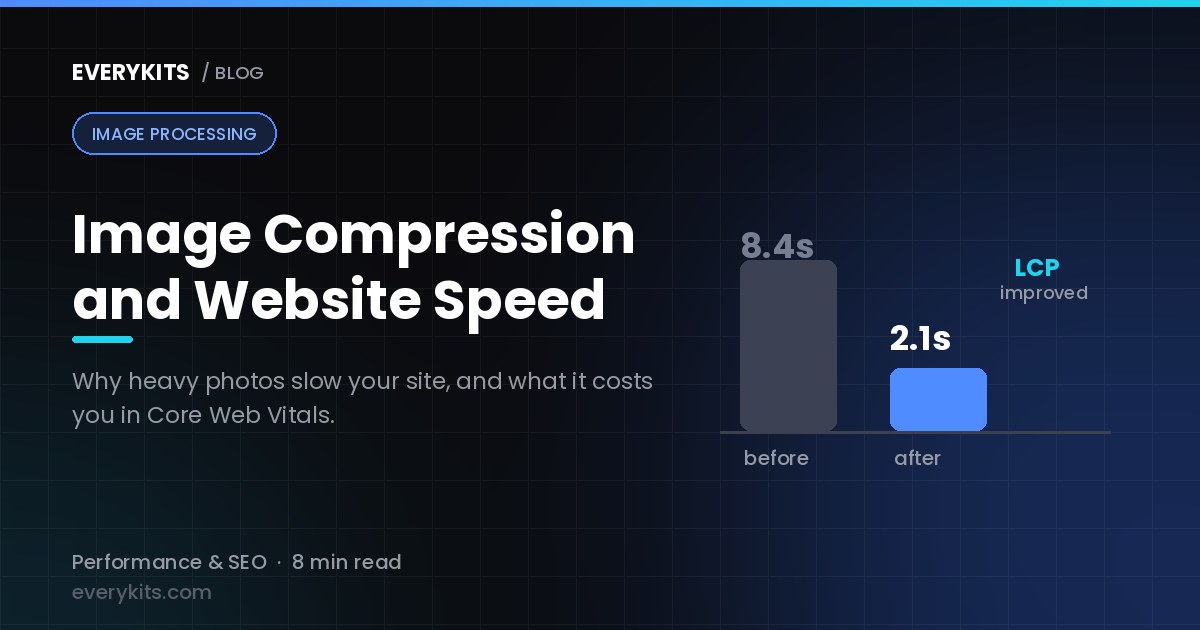
Bloggers upload images constantly, and uncompressed files are one of the most common reasons a well-written post underperforms in search. Google's Core Web Vitals include Largest Contentful Paint as a ranking signal, and in most blog layouts, the hero image is the LCP element. A large featured image loaded on mobile will hurt that score every time. The fix is compression before you upload, not after the fact with an expensive plugin.
The EveryKits image compressor reduces file sizes without visible quality loss, directly in the browser — see our full walkthrough on compressing images without losing quality for the technique behind it. Upload your hero image or product screenshot, compress it, download the result, and upload to WordPress or whatever CMS you're using. There are no account tier limits on the number of images you can process, and the output arrives as a clean, unbranded file. It's the zero-friction starting point for anyone building a faster blog.
QR Code Generator for Smarter Content Promotion
QR codes have become a real distribution tool for bloggers in 2026. They show up on lead magnets, printed media kits, event handouts, and business cards, sending readers directly to a specific post or opt-in page rather than a homepage. The EveryKits QR code generator takes any URL or text string and produces a scannable code in seconds, with no account required — if you're new to the format, our guide on what QR codes are and how to use them covers the basics. Generating a QR code for a new post takes less time than writing a tweet, and it reaches anyone holding that printed material, not just your follower count.
Free SEO Tools That Drive Real Organic Traffic
Search traffic is the most scalable channel for bloggers because a post that ranks keeps bringing readers without additional work. The free SEO tools for blogs available in 2026 are strong enough to build a complete keyword research and on-page optimization workflow without spending anything.
Keyword Research Without a Paid Subscription
Google Search Console is the most important free SEO tool any blogger with a live site can use. It shows the exact search queries driving impressions and clicks, the click-through rate for each query, and which posts are sitting in positions 8 through 15 and could rank higher with a targeted content update. There are no daily query limits, no paywalled data, and no account tier to worry about.
Ahrefs Webmaster Tools and Google Keyword Planner round out the free research stack. Ahrefs Webmaster Tools gives you unlimited backlink monitoring and site audit data for verified properties, a feature set that's hard to find on a free plan. Keyword Planner requires a Google Ads account but carries no usage limits and surfaces search volume and keyword ideas that pair well with what Search Console tells you about your existing posts.
On-Page SEO and Site Performance Tools
Yoast SEO's free WordPress plugin is one of the most widely used blogging apps and plugins for a reason: it handles the on-page layer directly inside the WordPress editor. Readability scoring, focus keyword analysis, meta description length checks, and schema markup are all built in. Run the Yoast checklist, fix the red and orange indicators, and publish.
After publishing, run the post URL through Google PageSpeed Insights. It's free, requires no login, and flags exactly which elements are slowing the page down, including oversized images that slipped through. This is the moment where image compression moves from a design preference to a search ranking issue. Fix what PageSpeed flags, especially on mobile, and you'll see LCP scores improve measurably.
Image Tools That Keep Your Blog Fast and Professional
Image optimization is one of the highest-leverage improvements a blogger can make in 2026 because most blogs are still uploading uncompressed files out of habit. Mobile traffic dominates for most blog topics, and a page that loads slowly on a phone loses readers before the first paragraph.
Free Tools for Compression and Format Conversion
Start with the EveryKits image compressor for any image you're about to upload. It handles the most common use case: you have a screenshot, a photo, or a graphic, and you need it smaller without making it look worse. For batch compression or format-specific control, TinyPNG and Squoosh are two additional free options worth having in your workflow. Squoosh in particular handles WebP conversion well, and WebP is the right format choice for most blog images in 2026 because it delivers smaller file sizes at comparable visual quality, with full support across all major browsers — our JPG vs PNG vs WebP comparison breaks down exactly when each format is the right call.
The format decision matters: use WebP for hero images and inline content images, JPEG for photographs where WebP isn't an option, and PNG only when you need transparency. Getting this right before upload is far easier than retrofitting an existing library of images after the fact.
Content Promotion Tools to Grow Your Readership
Publishing a post is the beginning of the work, not the end. Bloggers who treat distribution as an afterthought consistently underperform compared to those who have a repeatable promotion workflow built around free blog management tools.
Social Scheduling and Distribution on a Free Plan
Buffer's free plan lets you schedule posts to three social channels, which covers most solo bloggers' needs. The key habit is batching: schedule a full week of promotional posts in one sitting rather than manually sharing each time something goes live. Pinterest is worth treating as a search engine rather than a social platform. Evergreen posts pinned with keyword-rich descriptions continue driving traffic for months after publishing.
Free Email Tools and Offline Promotion
MailerLite's free plan supports up to 1,000 subscribers and includes automation, which makes it a realistic starting point for bloggers building a list from scratch. Kit (formerly ConvertKit) offers a larger free subscriber cap at 10,000 contacts, though its automation features are more limited on the free tier. Either way, email remains the highest-converting traffic channel for most bloggers because it reaches people who already opted in, rather than competing for algorithm-driven reach.
QR codes bridge offline promotion back to your blog. Print one on a business card, a media kit, or a PDF lead magnet, and you give anyone holding that material a one-scan path to your content or opt-in page. Generating a code at EveryKits takes under 30 seconds and produces a clean, watermark-free output.
Your Starter Free Blogging Stack for 2026
Here's the full no-cost setup that covers every stage of publishing, from first draft to ongoing promotion.
- Writing and editing: Grammarly's free tier for grammar and light editing; EveryKits word counter for keyword density, character counts, and readability metrics
- Image workflow: EveryKits image compressor before every upload; TinyPNG or Squoosh for batch jobs and WebP conversion
- SEO: Yoast SEO free plugin for on-page optimization; Google Search Console for rankings and query data; Google PageSpeed Insights after every publish
- Social promotion: Buffer's free plan for scheduling across up to three channels
- Email: MailerLite or Kit on their free tiers to build and nurture your list
- Offline and physical promotion: EveryKits QR code generator for business cards, media kits, and event handouts
Why Starting Free Is the Smart Move in 2026
Free tools have closed most of the quality gap with paid options for core blogging tasks. The paid upgrades that actually matter, things like unlimited keyword queries, A/B testing in email, and advanced analytics segmentation, become relevant as your traffic grows. They don't matter at the start. Paying for tools before you know your actual bottlenecks is one of the most common ways bloggers waste money before they've built an audience.
Starting free also forces useful clarity. You quickly learn whether your real constraint is writing speed, SEO knowledge, image workflow, or distribution consistency. Once you know that, you can make a targeted decision about where a paid upgrade earns its cost. Use these free online tools for bloggers to publish smarter, bookmark EveryKits as your daily utility tab, set up Google Search Console on your site today, and revisit your stack in six months when you have real data to guide the next decision.
Comments
Comments coming soon! In the meantime, feel free to share your thoughts on social media.